
Your Website Has an Invisible Customer Problem—Can WPBot Detect the Questions Visitors Are Too Afraid to Ask?
Latest News and Blog on Website Design and Bangladesh.
Your Website Has an Invisible Customer Problem—Can WPBot Detect the Questions Visitors Are Too Afraid to Ask?
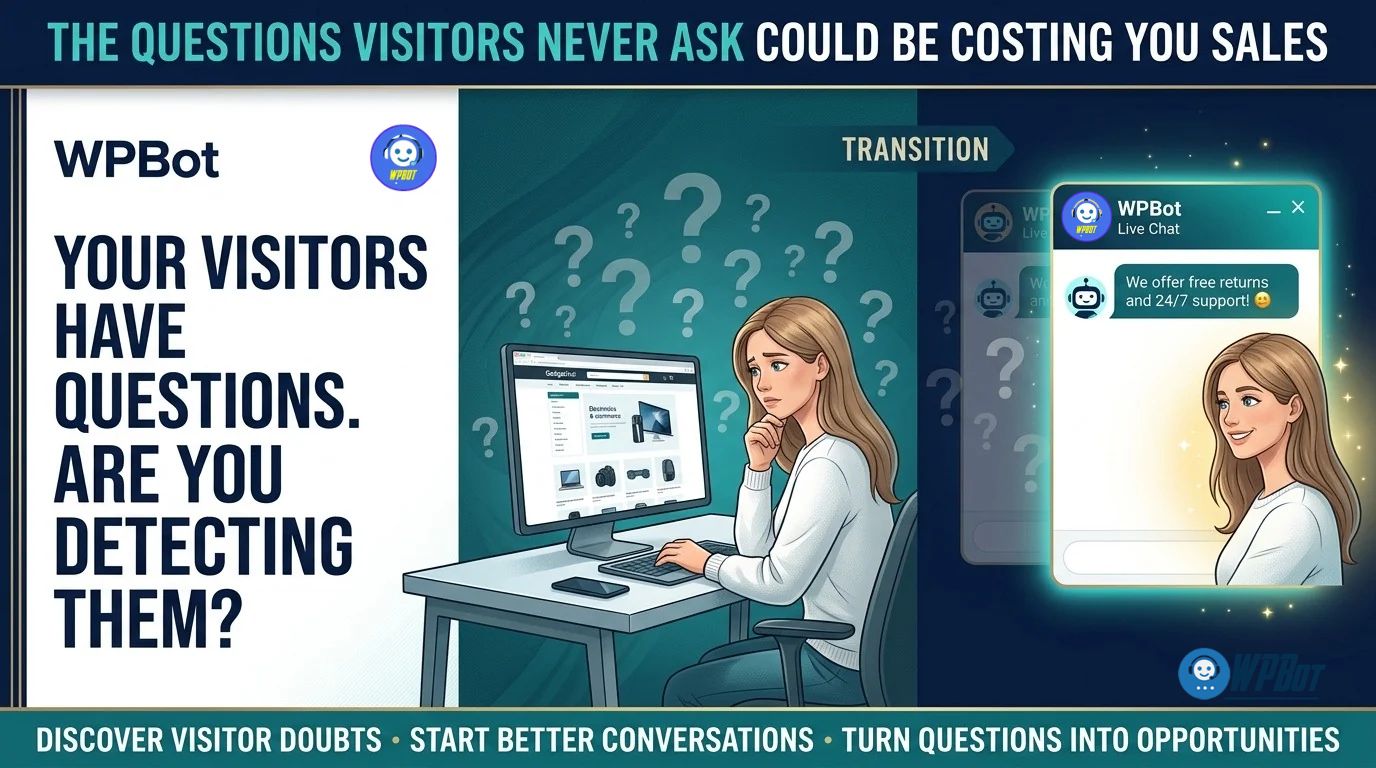 WPBot helps WordPress businesses give visitors a more accessible way to ask questions, find relevant information, connect with support, and express buying needs through AI-powered conversations, Conversational Forms, and Live Chat. When combined with an appropriate WooCommerce Retargeting strategy, WPBot can help businesses turn customer questions and eligible follow-up opportunities into a measurable process for improving engagement and conversions.
Why Are Potential Customers Leaving Your Website Without Asking a Single Question?
A visitor opens a product page, reads the description, checks the price, and leaves without contacting your business. Your analytics may record the visit and exit, but the analytics data alone cannot tell you whether the visitor was confused about compatibility, uncertain about the price, worried about delivery, or simply comparing alternatives.
WPBot addresses a practical part of that problem by giving visitors a conversational route to ask questions before abandoning the buying journey. A helpful chatbot cannot automatically know every unspoken concern, but WPBot can help businesses collect and analyze the questions visitors choose to ask.
Consider a WooCommerce store selling wireless microphones. A customer might need to know whether a microphone works with an Android phone, supports a laptop, or includes the required adapter. If the product page does not answer those questions clearly, the customer may leave rather than risk purchasing the wrong product.
WPBot can help surface these concerns through customer conversations, while Conversational Forms can collect relevant requirements and Live Chat can provide additional assistance when automated answers are insufficient. The resulting questions can guide improvements to product descriptions, FAQs, support processes, and conversion paths.
The central business lesson is simple: a website should not force every uncertain customer to figure everything out alone.
How Can WPBot Reveal Customer Questions That Your Website Content Keeps Missing?
WPBot can help businesses identify information gaps by reviewing the questions visitors actually submit through chatbot conversations and comparing recurring questions with existing website content. The goal is not to guess a visitor’s emotions but to use observable customer interactions to make the next visitor’s decision easier.
Imagine a store receiving 100 chatbot questions in a week. If 28 questions concern delivery, 22 concern product compatibility, and 17 concern returns, the store has a practical content-improvement roadmap.
| Example question category | Questions per week | Possible website improvement |
| WPBot delivery-related conversations | 28 | Add a clear delivery timeline near product prices |
| WPBot compatibility questions | 22 | Publish compatibility tables and device requirements |
| WPBot return-policy questions | 17 | Make return conditions easier to find |
| WPBot product-comparison questions | 18 | Add comparison tables and buying guides |
| WPBot other questions | 15 | Review remaining support and discovery gaps |
| Total | 100 | Prioritize improvements using real customer questions |
The figures above are illustrative, not reported WPBot customer results.
WPBot can support a repeatable process for collecting questions, identifying patterns, and prioritizing content updates. A store should verify the availability of conversation history and reporting features in the installed WPBot edition before designing an automated reporting workflow.
Which WPBot Questions Should Your Team Investigate First?
WPBot conversations become more useful when the team classifies questions according to the decision a visitor is trying to make. A simple taxonomy can separate informational questions from purchase objections and requests that need human intervention.
- WPBot product-fit questions: Can this product solve the visitor’s specific problem?
- WPBot pricing questions: Does the listed price include the required accessories, taxes, or services?
- WPBot trust questions: What happens if the product arrives damaged or fails to meet expectations?
- WPBot process questions: How long will delivery, installation, or account setup take?
- WPBot support questions: Does the visitor need a human agent to resolve a complex issue?
WPBot should not be treated as an emotion detector that can reliably determine why a silent visitor left. A more defensible approach combines voluntary chatbot questions with aggregate analytics, page-level behavior, support records, and controlled conversion experiments.
Could WPBot Conversational Forms Remove the Friction That Makes Customers Leave?
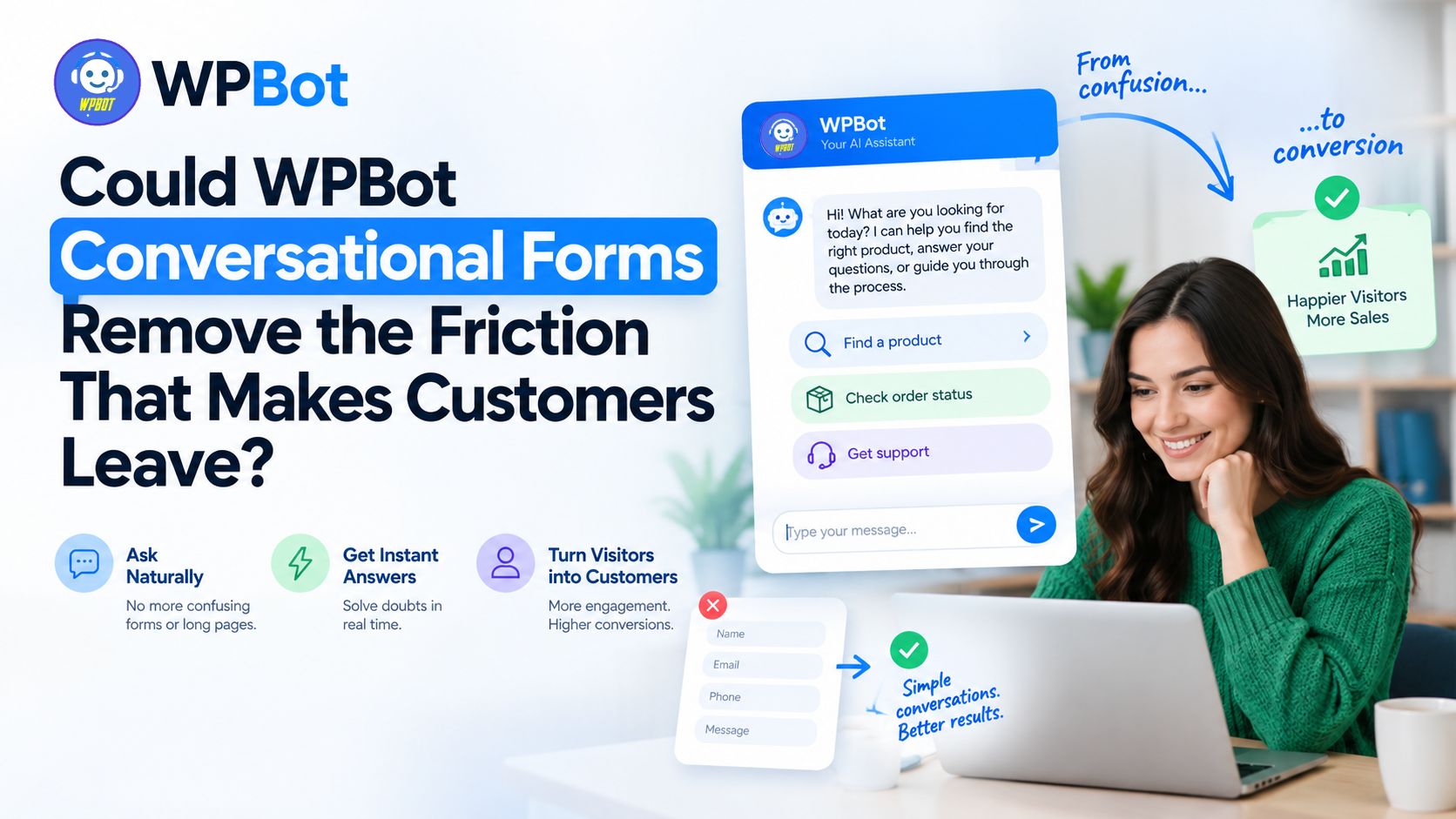 Traditional contact forms often ask visitors to complete several fields before receiving help. WPBot Conversational Forms can present information requests as a guided conversation, allowing a business to collect relevant details through a more approachable interaction.
The difference matters when the visitor does not know exactly what information to provide. A guided conversation can ask one question at a time, explain why an answer matters, and direct the visitor toward an appropriate next step.
Why Can WPBot Conversational Forms Outperform a Long Contact Form?
WPBot Conversational Forms can make information collection feel more manageable by breaking a request into smaller steps. A business can ask for the visitor’s main requirement before requesting contact details, provided the configured form flow supports that sequence.
Consider a visitor searching for a suitable office printer. A conventional form might request a name, email address, phone number, company name, monthly printing volume, and budget on one screen.
WPBot Conversational Forms can instead guide the visitor through a sequence:
- WPBot requirement question: What type of labels or documents do you need to print?
- WPBot usage question: How many labels do you print per day?
- WPBot compatibility question: Which devices or operating systems must the printer support?
- WPBot budget question: What is your approximate budget?
- WPBot contact step: Would you like a recommendation or a quotation by email?
WPBot can make the information request easier to follow, but a conversational interface does not automatically guarantee a higher completion rate. The business should test the conversational form against the existing form using comparable traffic and clearly defined success metrics.
How Should WPBot Conversational Forms Collect Better Leads Without Asking Too Much?
WPBot Conversational Forms should collect only the information needed to answer the visitor’s question or complete the requested business process. Every additional required field introduces effort, and unnecessary personal-data collection creates avoidable privacy risk.
A practical WPBot lead-capture design separates required information from optional information.
| Form field | WPBot recommendation | Reason |
| Visitor’s primary requirement | Required when needed to provide a useful answer | Establishes the purpose of the inquiry |
| Email address | Request when a reply or quotation requires email | Supports the requested follow-up |
| Phone number | Optional unless the visitor requests a call or the service requires a phone contact | Avoids unnecessary friction |
| Budget range | Optional unless budget determines the recommendation | Helps qualify a lead without excluding uncertain buyers |
| Marketing subscription | Separate, optional choice with appropriate consent information | Distinguishes service delivery from marketing permission |
WPBot should use clear field labels, appropriate validation, and an understandable explanation of how submitted information will be used. The website owner should also configure the form’s destination, notification process, retention rules, and consent language before collecting personal information.
Can WPBot Conversational Forms Help Visitors Who Do Not Know What to Buy?
WPBot Conversational Forms can guide visitors through requirements instead of forcing visitors to understand a complex product catalogue before asking for assistance. Guided questions work especially well when product suitability depends on a few identifiable requirements.
For example, a WooCommerce electronics store can use a WPBot conversation to ask about device compatibility, intended usage, preferred features, and budget. The resulting answers can help the store direct the visitor toward relevant products or a human sales representative.
WPBot should not present an unverified recommendation as a guaranteed fit. Product compatibility, stock status, pricing, delivery estimates, and warranty terms should come from reliable, maintained information sources.
How Can WPBot Measure Whether Conversational Forms Actually Improve Conversions?
WPBot Conversational Forms should be evaluated using a baseline rather than an assumed conversion uplift. A useful first test compares the percentage of eligible visitors who complete a traditional form with the percentage who complete the WPBot conversational alternative.
Suppose a website receives 1,000 eligible form visits each month. The existing form converts 4%, while the WPBot conversational form converts 5%.
| Metric | Existing form | WPBot form |
| Eligible visits | 1,000 | 1,000 |
| Completed submissions | 40 | 50 |
| Completion rate | 4% | 5% |
| Additional submissions | — | 10 |
| Relative conversion-rate improvement | — | 25% |
WPBot would generate 10 additional submissions in this hypothetical example, representing a 25% relative improvement and a one-percentage-point absolute improvement. The business should then measure lead quality, sales acceptance, and eventual revenue before attributing financial value to the change.
Can WPBot Live Chat Rescue Visitors Who Need Human Reassurance?
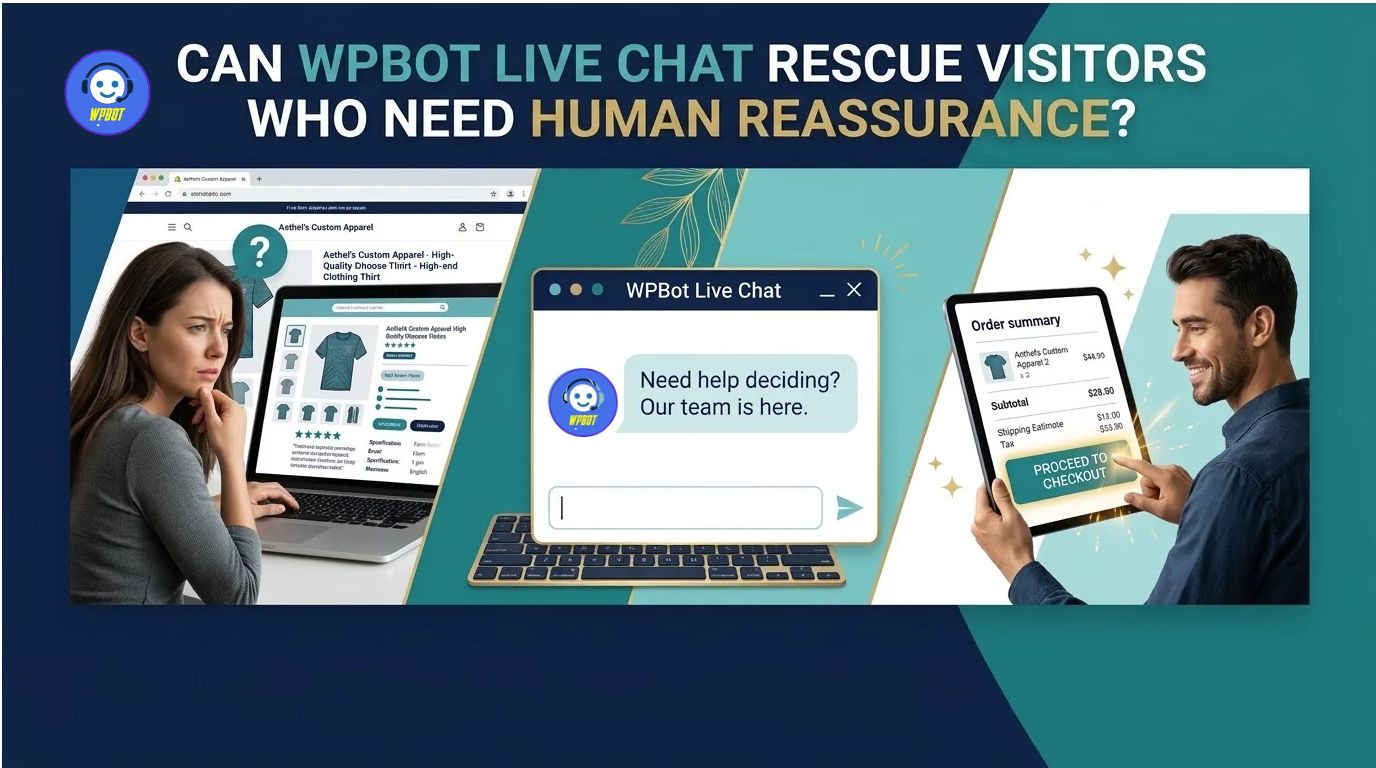 WPBot Live Chat gives visitors a route to human assistance when a predefined answer or AI response cannot resolve a question adequately. Human support matters when a buying decision depends on an unusual requirement, a disputed transaction, a sensitive issue, or a specific promise that requires staff approval.
An AI chatbot can explain a published return policy, for example, but a human agent may need to assess an exceptional return request. WPBot can help make the distinction between routine questions and situations requiring personal attention more explicit in the customer journey.
When Should WPBot Hand a Conversation to a Human Agent?
WPBot Live Chat should have a clear escalation policy rather than forcing every visitor through the same automated answers. The policy should specify when an agent is available, what happens outside business hours, and how visitors can request human assistance.
Useful WPBot escalation triggers include:
- WPBot repeated-question trigger: A visitor asks the same question multiple times without receiving a useful answer.
- WPBot uncertainty trigger: A visitor requests confirmation about a product specification that the available documentation cannot establish.
- WPBot transaction trigger: A visitor needs help with an order, payment dispute, refund, or delivery problem requiring account-specific investigation.
- WPBot explicit-request trigger: A visitor asks to speak with a person.
- WPBot high-value inquiry trigger: A visitor requests a quotation or service that needs human assessment.
WPBot should communicate escalation honestly. If no live agent is available, the chatbot should offer an appropriate alternative, such as a support form or a request for a callback, instead of implying that a human is already responding.
How Can WPBot Live Chat Reduce the Cost of Repetitive Support?
WPBot Live Chat can work alongside automated FAQs and AI-powered answers to handle routine questions while preserving a route to human assistance. The financial benefit depends on how many questions automation resolves successfully and how much human handling time the business actually avoids.
Consider a support team handling 600 questions each month, with an average of six minutes spent on each question. If WPBot successfully resolves 30% of those questions without human intervention, the team could avoid approximately 180 human-handled interactions.
The estimated time saved would be:
\[ 180 \times 6 = 1{,}080 \text{ minutes} \]
\[ 1{,}080 \div 60 = 18 \text{ hours per month} \]
At an illustrative labor cost of $18 per hour, the theoretical capacity value would be $324 per month. WPBot would need to demonstrate the assumed resolution rate in actual operations, and the business would need to subtract any additional software, API, maintenance, and support costs to estimate net savings.
Can WPBot Live Chat Improve Trust Without Making Unrealistic Promises?
WPBot Live Chat improves the customer journey when visitors receive accurate answers, understandable expectations, and an appropriate escalation path. A chatbot that confidently supplies incorrect information can create more uncertainty than a website with no chatbot at all.
A responsible WPBot deployment should distinguish verified product information from uncertain answers. The conversation design should also make support hours, response expectations, and human escalation options clear.
WPBot administrators should regularly review unanswered questions, low-rated responses where feedback is available, and conversations that repeatedly require agent intervention. Those records can identify where the knowledge base, chatbot instructions, or support workflow needs improvement.
Can WPBot WooCommerce Retargeting Recover Buying Opportunities Without Annoying Customers?
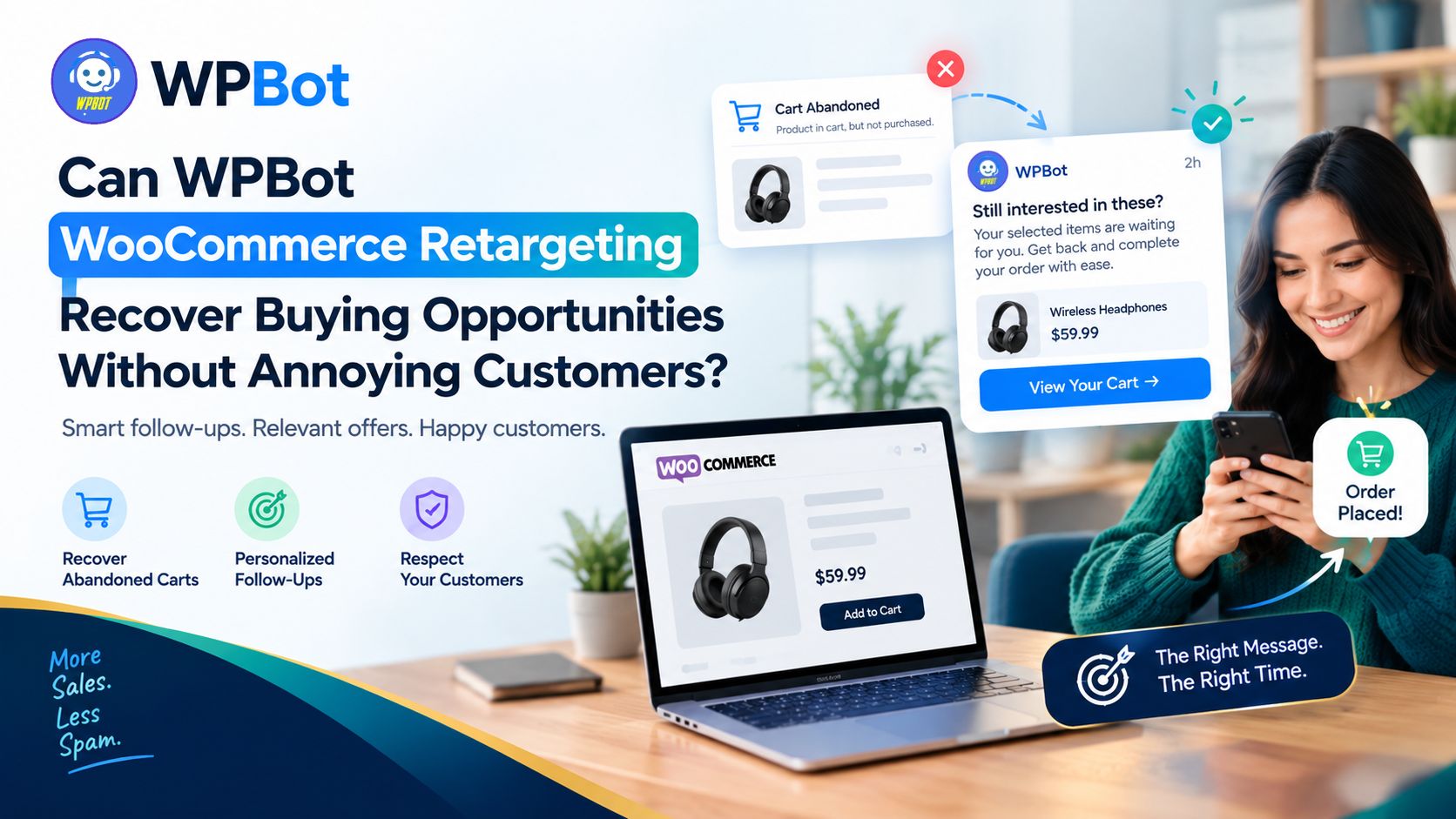 A visitor may ask about a product, explore a cart, and leave before purchasing. WPBot WooCommerce Retargeting can support follow-up strategies intended to reconnect eligible visitors with relevant products or unfinished buying journeys, depending on the installed WPBot version, available integrations, and configured tracking and messaging features.
Retargeting is not permission to message every visitor indefinitely. The business needs a clear purpose, suitable consent where required, appropriate channel permissions, and a way to respect opt-outs.
Why Should WPBot Connect Customer Questions With WooCommerce Buying Signals?
WPBot WooCommerce Retargeting becomes more relevant when follow-up reflects the customer’s expressed interest rather than sending the same generic discount to every visitor. A visitor who asks about laptop compatibility has a different concern from a visitor who asks whether a product can arrive before a particular date.
A practical WPBot workflow can connect the information a customer voluntarily shares with an appropriate follow-up category:
- WPBot compatibility follow-up: Direct the visitor to verified compatibility information or a suitable product guide.
- WPBot product-comparison follow-up: Provide a comparison of relevant products when the visitor has requested buying assistance.
- WPBot cart follow-up: Offer a reminder about an eligible unfinished cart when the required tracking and messaging permissions are in place.
- WPBot support follow-up: Provide the requested response when an unresolved question requires additional information.
WPBot should not assume that every abandoned cart represents a lost sale. A visitor may have completed the purchase on another device, decided against buying, or simply been researching options.
How Should WPBot WooCommerce Retargeting Work Without Damaging Customer Trust?
WPBot WooCommerce Retargeting should prioritize relevance, frequency control, and customer choice. A helpful reminder should explain the relevant next step without manufacturing urgency or implying knowledge the customer did not knowingly provide.
A sensible implementation should include the following safeguards:
- WPBot eligibility checks: Confirm that the visitor or customer qualifies for the chosen follow-up method.
- WPBot relevance rules: Use only the product or interaction information needed to personalize the message.
- WPBot frequency limits: Avoid sending repetitive reminders across multiple channels.
- WPBot suppression rules: Stop promotional follow-up after an opt-out or other applicable suppression condition.
- WPBot outcome tracking: Record eligible reminders, clicks, completed orders, and cancellations where reliable measurement is available.
WPBot store owners should verify the exact capabilities of the installed edition before promising automatic abandoned-cart recovery, cross-channel retargeting, or customer segmentation. Some workflows may require additional configuration or third-party integrations.
What Is the Real ROI of WPBot WooCommerce Retargeting?
WPBot WooCommerce Retargeting should be measured through incremental purchases rather than the number of reminder messages sent or clicks received. Attribution alone does not prove that a reminder caused a sale, because some customers would have purchased anyway.
Consider a store with 500 eligible abandoned carts each month. If 5% of those carts eventually return and purchase after a reminder, the campaign would record 25 purchases; however, a control group is needed to estimate how many purchases would have happened without the reminder.
| Illustrative monthly metric | Example value |
| Eligible abandoned carts | 500 |
| Observed purchase rate after follow-up | 5% |
| Purchases after follow-up | 25 |
| Average order value | $60 |
| Revenue associated with those purchases | $1,500 |
| Assumed incremental share established through a control group | 40% |
| Estimated incremental revenue | $600 |
WPBot would be associated with $600 in estimated incremental revenue under the example’s assumptions, not the full $1,500 in observed revenue. Actual profitability requires subtracting product costs, discounts, advertising or messaging costs, payment fees, and the relevant WPBot operating expenses.
How Can WPBot Avoid Retargeting Customers Who Have Already Purchased?
WPBot WooCommerce Retargeting should use reliable order-state information and suppression rules to prevent unnecessary reminders after a qualifying purchase. The implementation should also account for cancelled orders, failed payments, refunds, and customers who have opted out of promotional communications.
A robust WPBot workflow should recheck order status close to message delivery rather than relying entirely on an old cart event. For external messaging channels, the workflow should also respect the channel’s policies and any applicable restrictions on promotional messages.
WPBot store owners should test the complete process with sample orders before activating a large campaign. Test cases should include completed orders, guest checkouts, duplicate events, opt-outs, delayed webhooks, and retries.
How Can WPBot Turn Invisible Customer Friction Into a Measurable Improvement Plan?
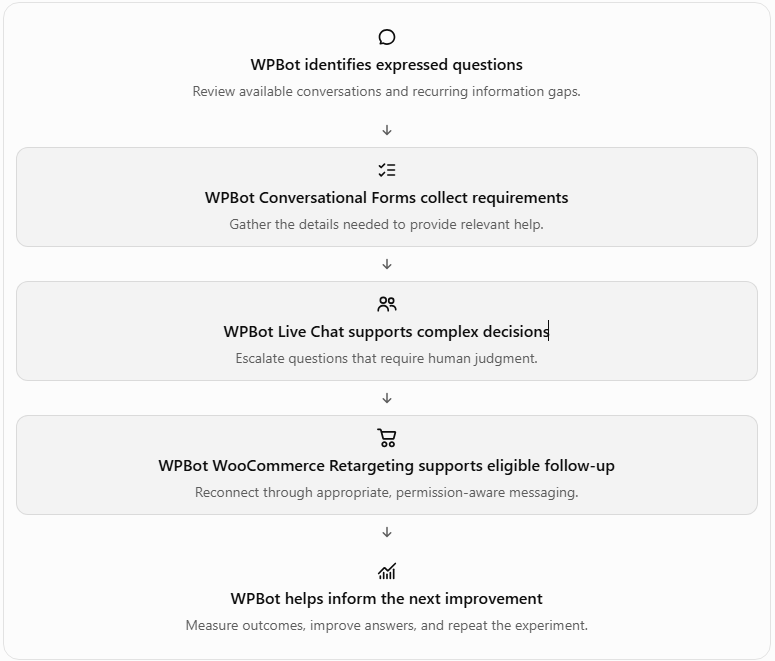
WPBot works best when Conversational Forms, Live Chat, and WooCommerce Retargeting are treated as connected parts of a customer journey rather than three unrelated features. Each pillar serves a different purpose: collecting requirements, resolving uncertainty, and offering an appropriate next step after an interaction.
A practical WPBot improvement loop looks like this:
Which WPBot Metrics Should Your Business Monitor Every Month?
WPBot administrators should track metrics that connect chatbot activity with actual customer outcomes. A large conversation count alone does not establish that the chatbot is useful or profitable.
| WPBot measurement | Calculation | What the metric tells you |
| WPBot engagement rate | Unique chatbot users ÷ eligible visitors × 100 | Whether visitors choose to interact |
| WPBot form completion rate | Completed forms ÷ started forms × 100 | Whether visitors finish the information request |
| WPBot escalation rate | Conversations escalated ÷ total conversations × 100 | How often visitors need human assistance |
| WPBot qualified-lead rate | Qualified leads ÷ submitted leads × 100 | Whether the captured leads fit business requirements |
| WPBot assisted conversion rate | Purchasing customers with a defined chatbot interaction ÷ eligible purchasing customers × 100 | How frequently chatbot interactions appear in the measured customer journey |
| WPBot cost per qualified lead | Attributable operating cost ÷ qualified leads | How much the business spends to obtain each qualified lead |
WPBot reports should define the measurement window, eligible visitor population, and attribution method before comparing results. A chatbot-assisted conversion is not necessarily a chatbot-caused conversion, so controlled experiments provide stronger evidence of incremental impact.
What Should a WPBot Implementation Roadmap Look Like Over 30 Days?
WPBot can be introduced through a staged rollout that limits technical risk and makes measurement easier. A small, well-measured deployment is more useful than activating every available feature without a baseline.
- WPBot days 1–7 — Baseline: Record existing form completion, common support questions, conversion rates, and current operating costs.
- WPBot days 8–14 — Conversational Forms: Introduce one focused form for a common customer need and compare completion rates with the existing process.
- WPBot days 15–21 — Live Chat: Configure escalation rules, agent availability, fallback responses, and support ownership.
- WPBot days 22–26 — WooCommerce Retargeting: Test an eligible follow-up workflow with consent, suppression, order-state checks, and frequency controls.
- WPBot days 27–30 — Evaluation: Compare results with the baseline, inspect failed interactions, calculate costs, and decide which changes deserve a wider rollout.
WPBot administrators should treat the roadmap as a proposed experiment rather than a guaranteed 30-day growth plan. Traffic volume, implementation quality, product demand, and the quality of existing website content will influence the results.
Why Does WPBot Deserve a Place in Your WordPress Conversion Strategy?
WPBot provides a native WordPress chatbot approach with built-in conversation and lead-collection capabilities, plus optional AI integrations and more advanced features depending on the installed edition. The official WordPress plugin listing describes support for AI providers including OpenAI, Gemini, and OpenRouter, alongside built-in functionality that can operate without an external large language model. Source: WPBot on WordPress.org.
WPBot should not be evaluated solely on the number of features in a comparison table. The more useful question is whether the configured solution helps visitors find accurate answers, submit useful information, reach human support when necessary, and complete relevant customer journeys at a sustainable cost.
| Evaluation factor | WPBot implementation | Generic SaaS chatbot model |
| Website integration | WordPress-native plugin installation | Often requires an embedded script or external integration |
| Built-in conversation options | Depends on the installed WPBot edition and configuration | Depends on the SaaS product and subscription |
| AI provider expenses | Provider usage may be billed separately when external AI is enabled | AI usage may be included, metered, or separately billed |
| Hosting responsibility | WordPress hosting and site maintenance remain the owner’s responsibility | Vendor generally operates the hosted chatbot service |
| Data governance | Requires review of WordPress storage, provider transfers, retention, and access controls | Requires review of vendor storage, retention, subprocessors, and access controls |
| Pricing comparison | Check the applicable WPBot license, included features, support, and external usage charges | Check subscription tiers, seats, usage caps, overages, and cancellation terms |
WPBot may suit a business that wants a WordPress-centered chatbot with configurable AI and lead-capture options. A SaaS chatbot may suit a business that prefers a vendor-operated service, so the final decision should depend on total cost, integrations, operational capacity, privacy requirements, and feature fit rather than a blanket claim that one model is always cheaper.
What Technical Risks Should Developers Resolve Before Deploying WPBot?
WPBot can be useful in production, but developers should evaluate server load, external API costs, data protection, security updates, and integration reliability before enabling customer-facing automation. The following technical FAQs address the objections that matter most when deploying WPBot on a live WordPress or WooCommerce website.
-
Can WPBot Increase WordPress Server Resource Consumption During Traffic Spikes?
WPBot can add server workload through chat requests, database operations, conversation storage, product queries, and any enabled retrieval or integration features. External AI calls can also increase request duration, although the AI provider’s computation occurs outside the WordPress server when a remote API is used.
Developers should benchmark WPBot under realistic traffic rather than assume a fixed CPU or memory requirement. The actual overhead depends on the installed version, hosting environment, enabled features, database performance, and request concurrency.
A useful testing plan includes:
- WPBot baseline test: Measure CPU, PHP worker utilization, memory, database queries, and response latency with the chatbot disabled.
- WPBot concurrency test: Simulate expected simultaneous conversations and record p50, p95, and p99 response times.
- WPBot database test: Inspect slow queries and database growth as conversation volume increases.
- WPBot failure test: Simulate an unavailable AI provider and verify that requests fail gracefully without exhausting PHP workers.
- WPBot capacity test: Set appropriate rate limits and verify that the server remains responsive during bursts.
WPBot administrators should consider caching stable answers where supported, limiting unnecessary context, and applying appropriate rate limits. Dynamic product availability, customer-specific order data, and personalized responses must not be cached in ways that expose one customer’s information to another customer.
-
How Can WPBot Control OpenAI, Gemini, and DeepSeek API Token Costs?
WPBot can use supported external AI integrations, including OpenAI and Gemini, while DeepSeek access may be available through the supported provider configuration or an appropriate OpenRouter integration. The official WPBot listing describes multi-provider AI support, but developers should verify the exact provider, model, and license requirements for the installed release before implementation.
External API charges generally depend on the provider, model, input tokens, output tokens, cached-token treatment, and any additional services such as embeddings. A WordPress plugin license does not automatically mean that third-party AI usage is included in the license price.
A basic cost model is:
\[ \begin{aligned} \text{AI Cost} ={}& \frac{\text{Input Tokens}}{1{,}000{,}000} \times \text{Input Price}\\ &+\frac{\text{Output Tokens}}{1{,}000{,}000} \times \text{Output Price} \end{aligned} \]
Suppose WPBot processes 10,000 AI responses in one month, averaging 2,000 input tokens and 500 output tokens per response. For illustration, assume input costs $0.50 per million tokens and output costs $2.00 per million tokens.
| WPBot AI usage calculation | Monthly result |
| Input tokens | 20,000,000 |
| Output tokens | 5,000,000 |
| Input cost at the assumed rate | $10.00 |
| Output cost at the assumed rate | $10.00 |
| Total estimated API cost | $20.00 |
WPBot would incur $20 in estimated model charges under those illustrative rates, excluding embeddings, retries, other billable services, and any provider-specific pricing rules. The example is not a current price quotation for OpenAI, Gemini, or DeepSeek.
Developers should implement a cost-control process that includes:
- WPBot usage budgets: Set provider spending limits or alerts where available.
- WPBot token monitoring: Track input and output consumption by model and time period.
- WPBot prompt optimization: Remove irrelevant context and avoid unnecessarily long conversation histories.
- WPBot model selection: Use a less expensive model for straightforward questions when answer quality remains acceptable.
- WPBot abuse protection: Apply request throttling, access controls, and provider usage alerts to limit unexpected spending.
WPBot developers should also verify the current security release before exposing AI endpoints publicly, because unauthorized API usage can create financial costs as well as security problems.
-
How Should WPBot Handle GDPR, Personal Information, and Conversation Storage?
WPBot deployments that collect names, email addresses, phone numbers, order details, or other identifiable information require a documented data-protection process. GDPR obligations depend on the parties, processing activities, and applicable law; installing a chatbot does not automatically make a website compliant.
The official plugin listing explains that enabled external AI integrations can transmit chat messages, prompts, and selected site content to the chosen AI provider.
A practical WPBot data-flow inventory should identify:
| WPBot data category | Developer responsibility |
| Conversation text | Establish purpose, lawful basis, access permissions, and retention period |
| Conversational Form submissions | Collect only necessary fields and explain the intended use |
| Customer identifiers | Restrict access and avoid exposing personal information in public responses |
| WooCommerce order information | Authorize access to customer-specific records and minimize transmitted fields |
| External AI requests | Document provider transfers, applicable terms, and any international data-transfer requirements |
| Webhook payloads | Send only necessary data and authenticate receiving systems |
| Conversation logs and backups | Define retention, deletion, and backup-expiration procedures |
WPBot administrators should configure appropriate privacy notices, consent mechanisms where required, role-based permissions, secure transport, and deletion procedures. Marketing permission should be separated from information necessary to answer a customer request when the applicable legal basis requires that distinction.
WPBot operators should verify whether the selected AI provider retains requests, uses submitted data for service improvement, or processes data in particular regions under the chosen account and contract settings. Developers should not assume that every provider has identical retention or training policies.
-
How Should Developers Evaluate WPBot’s Security Patch and Vulnerability History?
WPBot should be assessed using current release information, official changelogs, and independent vulnerability advisories rather than relying only on a general statement that the software is secure. The public security record includes historical reports involving authorization checks, information disclosure, and cross-site scripting, with affected versions and reported fixes varying by issue.
The presence of a historical vulnerability does not establish that the latest version remains vulnerable. Equally, a patched version does not eliminate the need to review the current release and deployment configuration.
A responsible WPBot security review should include:
- WPBot version verification: Confirm the installed version and compare the release against the official WordPress plugin directory.
- WPBot advisory review: Check each applicable advisory for affected versions, severity, exploit conditions, and the first fixed release.
- WPBot authorization testing: Confirm that private conversations, administrative actions, and customer records require the correct permissions.
- WPBot input validation: Test chatbot messages, form submissions, and webhook payloads for unsafe input handling.
- WPBot API-key protection: Keep credentials out of public JavaScript, visitor-visible HTML, logs, and source control.
- WPBot recovery planning: Back up the site, test updates in staging, and establish a rollback procedure.
WPBot installations should use a currently supported, patched release and follow the vendor’s security guidance. Because security advisories can be published after an article is written, developers should check the current changelog and vulnerability database immediately before deployment.
-
How Can WPBot Keep Webhook Latency Low and Prevent Duplicate Events?
WPBot integrations with CRMs, automation tools, and external support systems can introduce network latency and delivery failures. A webhook that waits synchronously for a slow third-party service may delay the customer-facing request or create unnecessary server load.
Developers should distinguish three measurements:
- WPBot enqueue latency: The time required to validate and place an event into a queue.
- WPBot delivery latency: The time from event creation to successful receipt by the destination.
- WPBot completion latency: The time until the receiving system finishes the downstream operation.
A reasonable starting target for a well-designed asynchronous workflow is to enqueue routine events in under 100 milliseconds, initiate the first webhook delivery attempt within five seconds, and keep ordinary application requests responsive. These are proposed engineering targets, not measured WPBot performance guarantees.
WPBot developers should use the following controls where the integration architecture supports them:
- WPBot asynchronous delivery: Move slow external processing outside the visitor-facing request.
- WPBot timeout limits: Set bounded connection and response timeouts.
- WPBot retry policies: Use exponential backoff and a maximum retry count for transient failures.
- WPBot idempotency: Give each event a stable identifier so retries do not create duplicate leads or orders.
- WPBot failure monitoring: Log delivery status, latency, retry counts, and permanent failures without unnecessarily recording sensitive payloads.
WPBot integrations must also consider event ordering and delayed delivery. A WooCommerce purchase event, for example, should be checked against the current order state before a follow-up message is sent.
-
Can WPBot Continue Answering Questions When an AI Provider Becomes Unavailable?
WPBot can use built-in response features that do not require an external large language model, according to the official WordPress plugin listing. Available fallback options depend on the installed edition and configuration.
Developers should configure clear fallback behavior for provider timeouts, exhausted API quotas, authentication failures, and temporary network outages. A useful fallback can present approved FAQs, direct visitors to relevant pages, or offer a support form.
WPBot should never fabricate a successful AI response when the provider has failed. Operational monitoring should distinguish a genuine answer from a fallback response so that the business can measure service availability and identify recurring failures.
Is WPBot the Right Solution for Your Website’s Invisible Customer Problem?
WPBot offers a practical starting point for WordPress businesses that want to make customer questions easier to ask and easier to act on. Conversational Forms can collect requirements, Live Chat can support complex decisions, and WooCommerce Retargeting can help eligible customers continue a buying journey when suitable follow-up is configured.
The strongest implementation begins with a narrow problem, such as unanswered product-compatibility questions or a contact form with a low completion rate. WPBot administrators can establish a baseline, deploy the relevant feature, monitor the resulting interactions, and expand only when the evidence supports the investment.
The key distinction remains important: WPBot can help reveal patterns in the questions customers actually ask, but WPBot cannot reliably know every question a silent visitor was afraid to ask. Businesses make the invisible problem more visible by combining conversations, analytics, customer feedback, and controlled experiments.
The goal is not to make every visitor talk. The goal is to make getting a useful answer easy enough that uncertainty no longer has to be the end of the customer journey.
Frequently Ask Question: FAQ
WPBot is a tool designed for WordPress businesses that enhances visitor interaction by providing AI-powered conversations, Conversational Forms, and Live Chat options.
WPBot allows visitors to ask questions in a conversational manner, helping to surface concerns that may lead to abandonment, and collects these questions to improve website content.
WPBot can identify various types of questions, such as those related to delivery, product compatibility, returns, and product comparisons, providing insights for content improvement.
WPBot Conversational Forms present information requests as guided conversations, asking one question at a time, which makes it easier for visitors to provide relevant details.
WPBot Live Chat provides a way for visitors to receive human assistance when automated responses are insufficient, especially for complex or sensitive inquiries.
WPBot WooCommerce Retargeting reconnects eligible visitors with relevant products or unfinished buying journeys, helping to recover potentially lost sales.
Businesses should track metrics like engagement rate, form completion rate, escalation rate, qualified-lead rate, and assisted conversion rate to evaluate WPBot's effectiveness.
A WPBot implementation roadmap should include stages such as establishing a baseline, introducing Conversational Forms, configuring Live Chat, and testing WooCommerce Retargeting, followed by evaluation.
